Ask a process integration engineer how long it takes to connect a new analytics system to a live fab, and the answer is almost never about the software. It's about the change control process. A configuration change to an active piece of equipment can require a formal engineering change order, a qualification run, and sign-off from two layers of process engineering management. In a busy 300mm logic fab, that queue is rarely short.
The good news is that the most useful inspection data for yield correlation doesn't require touching the equipment at all. SECS/GEM — the SEMI standard suite covering equipment communication — already exposes the data streams you need. The question is how to access them without triggering a change control event.
What SECS/GEM Actually Exposes
SECS/GEM is a two-standard stack. SECS-II (SEMI E5) defines the message encoding and the binary wire format. GEM (SEMI E30) defines the behavioral model: what the equipment must do when it receives a host command, what events it must report, and how the host and equipment negotiate the equipment data dictionary.
In practice, most fab-floor equipment communicates over HSMS (SEMI E37), which runs SECS-II message framing over a standard TCP/IP socket — typically port 5000 on the equipment controller. The MES (Workstream, Camstar, or equivalent) sits as the primary HSMS host. It sends S2F41 (Host Command Send) messages for recipe changes and hold instructions, and it receives S6F11 (Event Report Send) messages when the equipment reports a process event.
The equipment data dictionary — the set of status variables (SVID), data variables (DVID), and collection events (CEID) — is declared by the equipment vendor. An S1F11 request from the host asks the equipment for its SVID list; the equipment responds with names, units, and current values. A well-configured GEM tool will report lot ID, wafer ID, process chamber, recipe name, and inline measurement results as part of its standard CEID collection events without any modification.
The Passive-Read Pattern
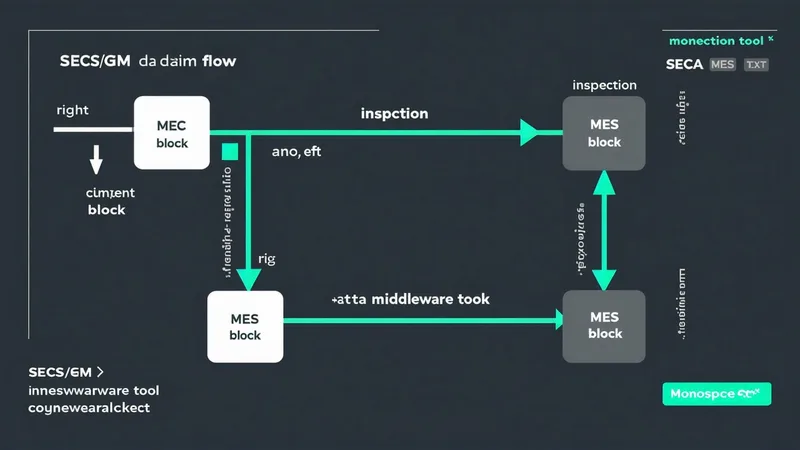
A passive-read integration subscribes to equipment events without acting as the primary host. Most modern HSMS-capable equipment supports either a secondary host connection or a message-forwarding relay. The relay approach is simpler to qualify: the MES remains the sole active host, and a message broker (running on a local server, air-gapped inside the fab's automation network) subscribes to a mirrored copy of the SECS-II stream.
This architecture avoids the equipment configuration change entirely. The relay runs as a passive TCP listener — it never sends commands to the equipment, only reads the event stream. Because no new software is loaded to the equipment controller and no existing host connection is modified, most fab change control systems classify this as an infrastructure-side change rather than an equipment-side change. Infrastructure changes typically move through a faster approval path.
Here is a representative S6F11 event report body for a post-etch inspection event, encoded in SECS-II binary format (hex excerpt, simplified):
// S6F11 — Event Report Send
// DATAID: 0x0001  CEID: 0x00A3 (CEID 163 = "WaferInspectionComplete")
// Report contains 3 DVIDs:
//   DVID 0x0011 = LotID  (ASCII "LOT-2025-04-17-001")
//   DVID 0x0012 = WaferID (ASCII "W07")
//   DVID 0x0014 = D0_Count (UINT2 = 0x001F = 31 defects)

A9 02           ; S6F11 header, 2-byte length block
01 00 00 01     ; DATAID = 1
01 00 00 A3     ; CEID = 163
21 12           ; List of 2 items (RPTID + variables)
  41 12 ...     ; RPTID + DVID block (LotID, WaferID, D0_Count)
The specific CEID and DVID assignments are equipment-vendor-specific and must be read from the equipment data dictionary via S1F11 before configuring the relay. This dictionary read is itself a passive operation — no command is sent, no process is affected.
GEM300 and the Extended Variable Set
GEM300 (SEMI E157 and related extensions) was designed for 300mm environments and adds capabilities beyond the base GEM specification. The extensions most relevant to yield analytics are MFC (Material Flow Control), OPER (Operator-initiated state transitions), and GFD (Generic Flow Definition for process step sequencing).
In a GEM300 environment, the equipment exposes a richer process context. A GFD-compliant event can include process step index, chamber assignment within a multi-chamber platform tool, and recipe version with a CRC fingerprint — not just the recipe name. This matters for yield correlation: a recipe named "ETCH_28nm_v12" might have two distinct parameter sets in production if the version CRC was never enforced as part of the lot routing logic. The GFD CRC gives you the distinguishing bit.
MFC state events also provide the carrier and slot-level view that standard GEM doesn't expose. When a lot transitions between modules within a cluster tool, the MFC event stream records the exact slot assignment and transition timestamp for each wafer. Slot-level defect correlation — correlating D0 counts against slot position in the FOUP — becomes tractable once this data is in the analytics pipeline.
A Real-Scenario Integration: Memory Fab Inspection Tool
Consider a DRAM fab running a KLA-class optical inspection tool on their metal-1 layer. The tool runs GEM300 and reports inspection results as S6F11 events with CEID 0x00C1 (WaferInspectionComplete). The event body includes lot ID, wafer ID, total defect count, and a KLARF file path on the shared inspection data server.
The passive relay was installed on an existing process engineering server already inside the fab automation network. Configuration took approximately four hours: reading the equipment data dictionary (S1F11 / S1F12 exchange), mapping the relevant DVID set, and configuring the TCP socket listener to forward decoded event bodies to the analytics database. No equipment downtime, no change control form.
The yield analytics system then correlated the resulting D0 time series against the chamber ID events from the upstream CVD tool (also GEM300, also passive-relay), against the SPC stream from the metrology bay, and against the WAT probe data from end-of-line. The correlations ran automatically — lot ID was the join key present in every upstream event report.
We're not saying passive-read integration works for every equipment type or every fab's network architecture. Older SECS-IV tools (pre-HSMS, serial RS-232 connections) require a different relay approach — a serial protocol bridge — and those do occasionally require an equipment-side cable change, which may fall into the equipment change category. For modern HSMS-capable GEM300 equipment, the passive pattern described here is the standard approach.
e-Diagnostics and the Diagnostic Data Boundary
e-Diagnostics (SEMI E87 / E58) extends GEM with a structured framework for equipment health data — fault logs, alarm histories, and predictive maintenance signals. The distinction matters for yield integration because e-Diagnostics data lives in a separate access tier from process event data.
Process event data (S6F11 CEID reports, GFD step events) flows over the primary HSMS host connection and is accessible via the passive relay pattern. e-Diagnostics data — including the EALog (Equipment Activity Log) and alarm suppression records — typically requires a separate secondary host connection or an explicit vendor-side API. Some equipment vendors implement e-Diagnostics over a separate TCP port with its own authentication handshake.
For a first-pass yield integration, e-Diagnostics data is useful but not essential. The combination of GEM300 process events (chamber ID, recipe CRC, slot position, D0 count) with the upstream SPC and WAT streams already produces meaningful excursion correlations. The e-Diagnostics layer adds alarm attribution — the ability to correlate a D0 spike with a specific alarm code on the process module — which is valuable for the next level of root-cause depth but requires a separate integration step.
What the Equipment Data Dictionary Won't Tell You
One structural limitation of the GEM equipment data dictionary approach is that DVID coverage is vendor-defined and varies substantially across equipment generations. An inspection tool from one vendor might expose 40 well-named data variables with units and ranges; an older etch tool from a different vendor might expose 8 variables with names like "DV_014" and no engineering units recorded.
Before designing the integration schema, the right first step is always an S1F11 dictionary dump on each target tool. In practice, a 300mm fab with 50 process tools will have perhaps 8-12 tools with comprehensive GEM300 DVID coverage, another 15-20 with partial coverage, and the remainder with minimal coverage or legacy SECS-II-only interfaces. The integration architecture should tier these accordingly — rich real-time correlation from the GEM300 tools, file-based KLARF ingest from tools with weak DVID sets, and manual CSV upload as the fallback for the tail of the equipment fleet.
The data richness floor doesn't invalidate the integration; it shapes how the correlation model weights different evidence sources. An analytics system that insists on uniform data quality across all tools before running will never run. One that operates gracefully on partial data — weighting richer sources more heavily, flagging low-confidence attributions — gets actionable output from day one while the integration coverage matures.
Starting Without Waiting for Perfect Coverage
The single most common reason yield analytics projects stall in integration planning is the pursuit of complete data before committing to a production deployment. The team identifies the 12 tools that matter most for their current yield loss mode, connects 3 of them in the first week via passive HSMS relay, and then spends the next quarter getting the remaining 9 through the change control queue — even though the change being controlled is a server-side relay configuration, not an equipment modification.
A phased approach cuts through this. Connect the two or three inspection tools that generate KLARF output first — these are almost always the richest DVID sources and the most directly yield-relevant. Get the correlation model running on partial data. Use the early correlation results to prioritize which additional tools to connect next, because the correlation output tells you which upstream process steps have the strongest statistical association with the defect signatures you're already seeing.
The goal is a working integration that expands, not a complete integration that never ships. SECS/GEM was designed for incremental integration — the equipment data dictionary exists precisely so that hosts can discover what a tool exposes without requiring upfront negotiation. That flexibility should be used.